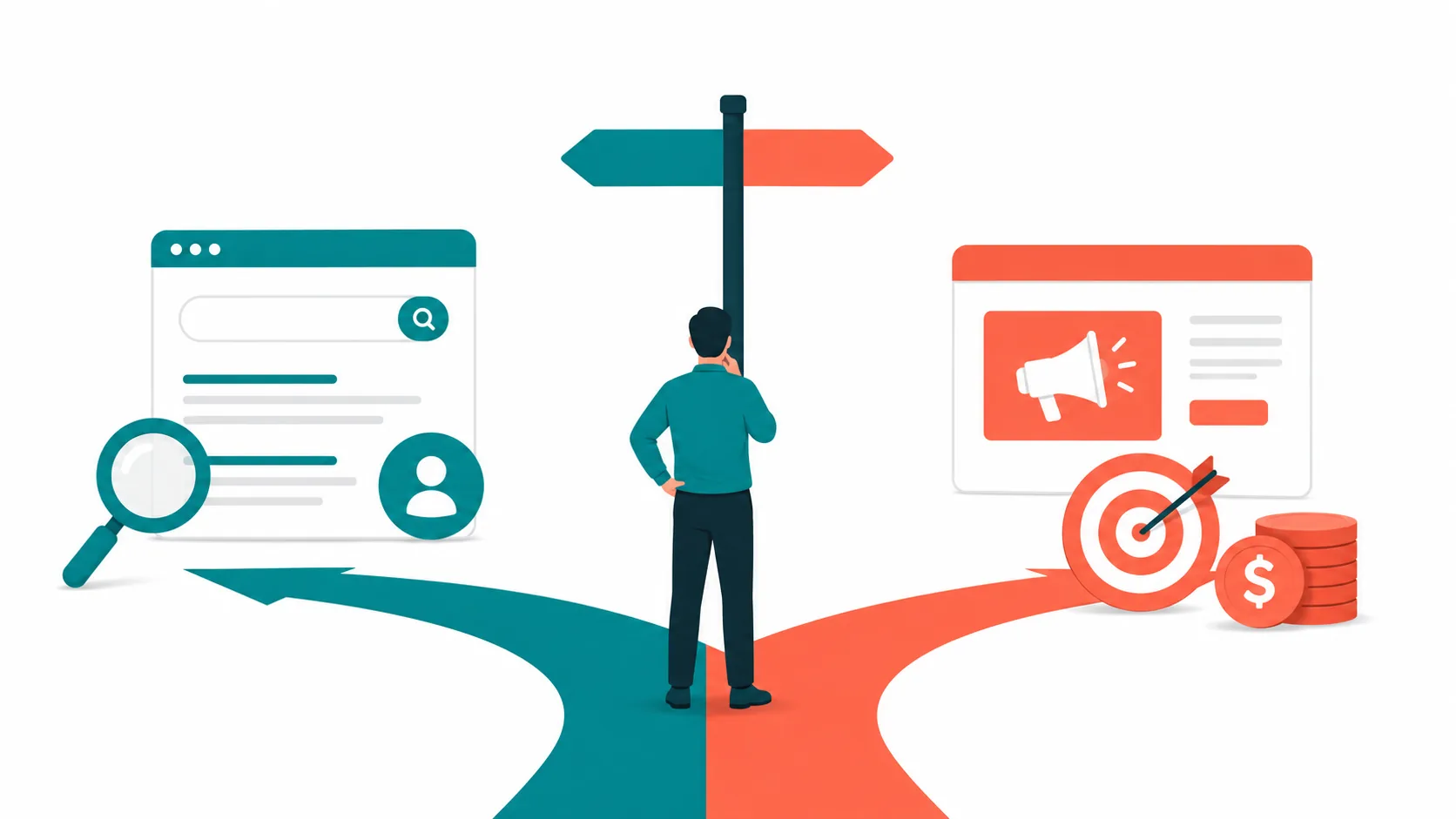

The goal of this process isn't to prove Google Ads will work. It's to avoid spending too much before discovering something that could have been known from a few hours of structured research. Most businesses skip the research and go straight to running campaigns. This is what the research looks like.
Why Most Businesses Get This Decision Wrong
Most businesses decide to run Google Ads in one of three ways. An agency recommends it. A competitor seems to be doing it. Or there's budget available and Google Ads feels like the obvious next step.
None of these are answers. (If you're evaluating an agency recommendation, here's how to assess whether the agency itself is worth hiring.)
"Does Google Ads work?" is the wrong question. Google Ads works - for some businesses selling some things to some buyers at some price points. It fails badly for others. The variable isn't the platform. It's whether the conditions are right for the specific business asking the question.
A business selling payroll software to HR managers at ₹18,000 per year faces a completely different equation than a business selling custom furniture at ₹2,00,000 per piece. The same platform, the same tools, the same daily budget - entirely different results. Because the search volume, the cost per click, the buying behaviour, and the deal math are different for every business.
The right question isn't whether Google Ads works. The right question is whether it works for this business, selling this thing, to these people, at this price point. And if you sell more than one thing, or in more than one market, which of those parts suit the channel and which don't. One business can get different answers for different parts.
There is a structured way to answer that question before spending anything. This is what it looks like.
What a Feasibility Report Is (and Isn't)
"Feasibility report" is not a term most people encounter in marketing. Before going further, here's exactly what it means - and what it doesn't.
It is NOT:
- An audit of an existing campaign
- A proposal or a sales pitch
- A media plan or campaign setup
- A prediction that the campaign will work or be profitable
It IS:
- A structured investigation into whether the channel makes sense for your business
- An evidence-based recommendation built on real data
- A recommendation on what is worth testing, for which offering or market, with the conditions attached
The distinction matters because most businesses receive proposals, not investigations. A proposal starts with the answer - "yes, run Google Ads" - and works backward to justify it. A feasibility report starts with the question and follows the data wherever it leads. Including to "no" for some parts of the business.
It's also why the best Google Ads audits don't start with Google Ads - they start with the business.
The 7 Questions That Tell You Whether Google Ads Will Work for You
The process covers seven areas. Each one adds a piece of the picture. All seven together produce the answer.
- Who is your customer?
- Are people actually searching for what you sell?
- Who else is showing up for those searches - and what are they saying?
- What does a click cost, and what will your budget actually buy?
- Will your website turn those clicks into customers?
- When someone researches you after clicking, what will they find?
- What does the data say - and what does it mean for your decision?
Each of these steps adds a piece of the picture. No single step determines the answer - a high cost per click doesn't kill the case if the deal size supports it, and strong search volume doesn't help if the website can't convert it. The recommendation comes from reading all seven together.
One rule applies throughout: all search volume and cost data comes from Google Keyword Planner exports, not estimates or assumptions. No revenue projections. No assumed conversion rates. The report works with what can actually be measured before a campaign runs.
What this produces at the end isn't a campaign. It's a clear recommendation: what to test, where, and what must be in place first - so the decision to spend or not spend is based on evidence, not gut feel.
To make each step concrete, the same illustrative business runs through every section: a B2B SaaS company that sells HR and payroll software to small and mid-sized businesses in India. Their product helps companies with 20 to 200 employees manage attendance, leaves, and salary processing without spreadsheets. Replace them with your own business as you go.
1. Who Is Your Customer?
Before looking at what people search, you need to understand who is actually searching - and why. This shapes everything that follows: which keywords matter, what the ad needs to say, and what the page they land on needs to do.
Where to find real answers: customer reviews, Reddit threads, forums, LinkedIn comments, and conversations with past buyers. Not assumptions. Not personas built in a spreadsheet. A structured deep research session on Gemini or Perplexity - asking what frustrates buyers, what they fear, what they're hoping for - surfaces this faster than weeks of manual digging.
This matters beyond just understanding your customer. The objections, decision criteria, and specific phrases buyers use feed directly into ad copy - the headlines and descriptions that appear in search results. An ad written from this research addresses a real question the buyer is already asking. One written without it is usually ten generic headlines from an AI.
This research also uncovers the exact words prospects use when they have the problem you solve, or when they're actively looking for what you sell. These phrases often don't appear in keyword tools - your site doesn't rank for them, competitors don't either - but buyers are using them. That's where underpriced, high-intent keywords hide.
Why this matters specifically for Google Ads: if your buyer doesn't use search when evaluating this kind of purchase - if they rely on referrals, network recommendations, or word of mouth - Google Ads will reach a different audience. Not necessarily the wrong one, but a different one from the buyer you know.
Also look at how your buyer buys. A low-priced product that people buy on their own is a very different case from a high-value service sold through a sales team. Same platform, very different answers. If leads will come in, check that someone can respond to them quickly.
The HR software company's buyer is a founder or HR manager at a company with twenty to two hundred employees. Right now, payroll is on Excel. Attendance is tracked on WhatsApp. Leave balances are on a shared Google Sheet that three people have edited without a clear version history.
It works - until it doesn't.
A salary goes out wrong. Someone disputes their leave balance. A compliance audit reveals how informal the records actually are. That's when the search starts. Not before.
And when it does start, they're not searching "HR software." They're searching "payroll software for 50 employees" or "how to manage attendance online." Those searches reveal the problem they're trying to solve, not the product category they're shopping in.
That's not in the keyword data. But it determines whether the keyword data is worth acting on.
2. Are People Actually Searching for What You Sell?
If your buyers aren't searching for what you offer on Google, no ad copy or budget will fix that. Some categories have real search volume - thousands of people every month looking for exactly what you sell. Others barely exist as search behaviour. People find out about them through referrals, word of mouth, or industry networks, not search engines.
You need to know which one you're in before spending anything.
How to check: Open Google Keyword Planner, enter your URL and three to four competitor URLs one at a time under "Start with a website," and export the CSV from each. Read them together.
Choose competitors carefully. Two businesses can look alike and still sell different things to different buyers. Pick ones that offer the same product or service, with similar features, to the same kind of buyer. The wrong competitors give you the wrong keywords.
Keyword Planner shows everything - informational queries, research terms, free tools, and buying searches all in the same list. The next step is filtering for what matters.
One limit to keep in mind: when you start with a website, Keyword Planner mostly suggests words that already appear on that site. It can miss the way buyers describe their problem. That is why the buyer language from Step 1 matters.
What you're looking for in the results: searches from people ready to buy - not people researching a topic, studying for an exam, or looking for a free tool. Also look for searches that competitors surface but your site doesn't. Those are gaps - terms buyers are using that you're currently invisible for.
What you exclude upfront matters just as much. Every business category generates searches from people who will never buy from them. Catching those early saves budget from the very first day.
Two things to watch when you read the numbers. First, sort brand searches into two groups. Searches for just a company name come from people trying to reach that company, so they can make demand look bigger than it is. But searches like "[competitor] pricing" or "[competitor] alternative" come from people comparing options, and they are an opportunity. Keep them as a separate group. Second, use figures for the place you actually serve. A national number can be far bigger than the demand in one city.
What the HR software company found:
When they ran their URL through Keyword Planner alongside three competitor URLs, the high-intent searches looked like this:
| Keyword | Avg. Monthly Searches | Avg. CPC |
|---|---|---|
| Payroll software for small business | 5,400 | ₹120 |
| HR software India | 2,900 | ₹95 |
| Employee attendance management software | 1,600 | ₹80 |
| Salary processing software | 880 | ₹110 |
Notice the pattern: every keyword here follows the format of a "<problem to be solved> software" - "payroll software," "attendance management software," "salary processing software." That's buyer language. Someone searching for a solution to a problem they already have. Compare that to a search like "cloud-based multi-tenant HR SaaS platform" - that's builder language. No buyer talks like that.
From the competitor scan, two gap searches surfaced - "leave management system" and "HR software for 50 employees" - terms buyers are actively using, where competitor sites are visible and this company isn't.
Exclusions identified from day one: "HR management course," "free payroll calculator," "Excel salary sheet template," "HR software meaning." These searches look related. They come from entirely different people - students, researchers, people who have no intention of buying software.
This is also where the negative keyword list begins. When a campaign does go live, Nexara adds terms like "course," "calculator," "template," and "meaning" as among the first exclusions - so ads never show up for searches that have no buying intent behind them.
The search volume exists. Step two passes. If one of your offerings has no search demand, that offering can be ruled out even when the others pass.
3. Who Else Is Showing Up When Your Customers Search - and What Are They Saying?
Knowing volume exists is one thing. Knowing who you'd be competing with - and what they're saying - is another.
Run the searches yourself. Go to Google and type in the keywords that matter for your business. Look at the ads that appear. Read the headlines and descriptions.
Note who you see. The advertisers that show up on these searches are the ones you are really up against, and they are often not the same as the competitors you found on the web. Check that they really offer what you do.
Look across all the ads and ask two questions: what is everyone saying? And more importantly, what is nobody saying?
That gap is where a specific business can stand out - without outbidding anyone, without a bigger budget. Just by speaking to something competitors aren't.
What the ads for "payroll software India" looked like:
| Competitor | Main Promise |
|---|---|
| A | Free plan available, made for Indian business |
| B | Trusted by thousands of companies |
| C | All-in-one HR and payroll platform |
| D | Automate your HR today |
| Everyone says | Nobody says |
|---|---|
| Trusted by thousands | Payroll errors on the 31st |
| AI-powered | Salary disputes |
| All-in-one platform | Compliance notices |
| Free trial | Three people editing the same Google Sheet |
The opportunity: Speak to the problem. Not the product.
Every ad sells features. Every ad makes a claim about the product. None of them say anything about the experience the buyer is actually living right now - the salary error on the 31st, the leave balance dispute, the compliance notice that arrived after payroll closed.
That's the gap. A business that speaks to the problem instead of the product stands out, even in a crowded space.
One more check: search your own business name. Are competitors running ads on it? If they are - and they often are - that's a separate campaign decision, because the cost to defend your own name is almost always far lower than what a competitor pays to appear there.
We've written about this in detail - how competitors capitalize your demand.
One caution. Seeing ads on a search shows that others are taking part, not that they are making money. And a search with no ads is not automatically an open opportunity. It can mean nobody has claimed it, or that there is little demand, or that others tried and left. Treat it as a question to check, not as a finding.
4. What Does a Click Actually Cost - and What Will Your Budget Buy?
Once you know which searches matter, the next step is calculating what it costs to show up for them. This is where the Keyword Planner data becomes a budget reality check.
The calculation is simple: average cost per click × number of clicks = spend. No conversion rate assumptions. No revenue projections. No cost-per-acquisition targets. Anyone projecting how many customers a budget will produce before a campaign has run is guessing - and presenting guesses as forecasts.
The 10-click floor
We don't recommend budgets that buy fewer than around 10 clicks a day. Below that, campaigns produce too little data for meaningful learning - you can't tell if a keyword is working or failing, or whether an ad is resonating or being ignored. The number isn't a Google rule. It's a practical threshold we've found separates useful signals from noise.
The formula: average cost per click × 10 = minimum daily budget worth testing.
At an average cost per click of ₹100, the floor is ₹1,000 per day - ₹30,000 per month. Anything below that isn't a campaign. It's an experiment with too little data to interpret.
Then check whether the market can supply those clicks. If only a few thousand people search for your offering each month, ten clicks a day may need a large share of all of them. If you sell in more than one market, work out each market separately, because click costs can be many times higher in one than in another.
Deal size changes everything
A ₹100 click looks completely different depending on what a customer is worth. If one customer pays ₹5,000 once, the economics are very tight. If one customer pays ₹18,000 per year and typically stays for three years, the math is different - and a higher cost per click can still make sense.
Run the table for your own numbers. The table shows clicks, not customers. How many of those clicks turn into customers is something only a live campaign can measure. Use the real numbers you already have, such as deal value and how long customers stay.
The HR software company's budget table
Average cost per click: ₹100. Minimum daily floor: ₹1,000 (10 × ₹100) = ₹30,000/month.
| Budget Level | Daily Budget | Monthly Spend | Clicks / Day | Clicks / Month |
|---|---|---|---|---|
| Too thin to learn | ₹500 | ₹15,000 | 5 | 150 |
| Minimum floor | ₹1,000 | ₹30,000 | 10 | 300 |
Once you're at the minimum floor, the question of how much to scale is yours to answer - based on what a customer is worth to your business and what your cash flow can support. The table above gives you the floor. Everything above it is a business decision, not a formula.
5. Will Your Website Turn Those Clicks Into Customers?
The click is only half the job. What it lands on determines whether the budget produces anything.
Three things to check on the page that receives paid traffic: Is there a clear next step - a form, a booking link, a trial button? Is there enough on the page to give a visitor a reason to take that step? And is there anything creating doubt or friction that sends them away before they do?
In practice, most B2B websites we review have one of three issues: the homepage is being used as the landing page, the form asks for too much before earning the right to ask, or conversion tracking isn't set up at all.
The fix in almost every case is the same: a dedicated landing page - no navigation, one action, nothing pulling the visitor elsewhere.
The homepage does too many jobs. It explains the product. It talks to existing customers. It covers every feature. For a visitor who clicked a specific ad about a specific problem, the homepage is a distraction.
Two more things to check. Does the page use the words your buyers search for? If the page never mentions the term in the ad, Google may show the ad less often. And does the page give the number buyers are looking for, usually the price? Buyers who can't find it will look at a competitor that shows it.
Research by Unbounce, based on 41,000 landing pages and 464 million visits, found that dedicated landing pages convert at a median rate of 6.6% across industries - compared to 1.5–3.5% for homepages that split visitor attention across multiple goals.
If you want to understand what makes a B2B landing page actually convert - not just look good - we've written about the most common reasons B2B website redesigns fail to produce results. The same principles apply to any page receiving paid traffic.
One more thing: tracking. Without knowing which clicks turned into enquiries - not just which clicks happened - the campaign can't learn. Most analytics setups record visits but not conversions. Before any money goes into ads, the conversion event needs to be measured.
If you're unsure what your analytics should actually be measuring - and why most setups get this wrong - this is worth reading.
What the HR software company's site looks like:
The homepage explains the product well - for someone who already knows they want HR software. A visitor who clicked an ad about payroll errors lands on a page about features. The signup form asks for GST number, company size, and current HR tool before even collecting a name.
What needs to change: a dedicated page with a headline that matches the ad, a three-field form (name, email, phone), one or two quotes from founders at similar-sized companies, and a clear statement of what the trial includes and what it costs.
Tracking: their analytics records total signups but not which ad or keyword produced them. The campaign would spend without ever knowing what worked.
Readiness scores: Content quality: 7/10 · Conversion setup: 3/10 · Overall ad readiness: 4/10
6. When Someone Clicks Your Ad and Researches You, What Will They Find?
One of the most important Google Ads optimisations happens outside Google Ads.
In B2B, the click is rarely the decision.
Almost every buyer who clicks a Google ad opens another tab immediately after and researches the business. They look at the LinkedIn page. They search for reviews. They look for case studies or articles. They check whether the founder exists and what the company has put out into the world.
The ad gets the click. Everything else gets the customer.
According to a Gartner survey of 632 B2B buyers, 61% prefer a buying experience with no sales rep involvement - meaning most buyers carry out independent research through digital channels before engaging with any vendor at all. The research that happens between the click and the enquiry is often where the decision is actually made.
What credibility looks like in that research phase: specific case studies with real numbers, not general claims. Testimonials from clients who look like the buyer - similar size, similar problem. Content that shows genuine understanding of the buyer's actual situation. And this doesn't have to live only on the website. LinkedIn, the founder's profile, industry content, a YouTube walkthrough - all of it forms part of what a buyer finds.
According to TrustRadius research, 56% of B2B buyers had conversations with a product user before purchasing - rising to 71% for enterprise purchases. Buyers actively seek out peer validation with specific context before committing. A testimonial that says "great product, very helpful team" satisfies none of that. A testimonial that says "we went from spending three days closing payroll to four hours" starts to.
In practice, most B2B businesses we review at this stage have the same gaps: no case studies with real numbers, a LinkedIn page that hasn't been updated in months, and testimonials that say "great service" without saying anything a buyer could verify. A competitor with one specific case study is likely to win over a better product with generic proof.
Also check that your site does not contradict itself. Different numbers on different pages, or claims that don't match reality, make buyers doubt everything else. And see whether you speak to the biggest fear buyers in your category have.
What the HR software company's presence looks like right now:
LinkedIn page: 200 followers, last post nine months ago. Website testimonials: "easy to use, great support" - no company names, no numbers, no specifics. Founder profile: a resume.
A competitor with one case study reading "helped a 60-person logistics company cut payroll processing from three days to four hours" is more convincing at this stage - even if the product is identical.
Google Ads makes a strong business more visible. It doesn't make a weak one convincing. Credibility is infrastructure - it needs to exist before paid traffic scales.
7. How to Read Your Results and Make the Decision?
After seven steps, the recommendation usually falls into one of three shapes. Often it is a different shape for different parts of the business.
✅ Green light. Meaningful search volume exists for your specific offer. The cost per click is one your deal size can support. Competition is thin enough, or undifferentiated enough, that specific messaging can stand out. The website can receive paid traffic and convert some of it. And what a buyer finds when they research you will give them confidence. All five present - run a test campaign.
🟡 Fix first. The volume is there, but the website isn't ready. Or the cost per click is higher than what a customer is worth. Or the credibility is too thin for paid traffic to convert. The channel might work - but not yet. This is a conditional yes with a specific list of things to address and a timeline for when to revisit.
🔴 Wrong channel. Your buyers don't use Google to find what you offer. They rely on referrals, networks, or word of mouth. Google Ads reaches a different audience - and no amount of budget or optimisation fixes a channel mismatch. This often applies to one offering or market, not the whole business.
These three outcomes are rarely one answer for the whole business. One company can get a yes for one product, a "fix first" for another, and a "not through Google" for a third. The same goes for markets: one city or country can be worth testing while another is not.
On that third outcome: a good feasibility report doesn't always recommend Google Ads. Sometimes the search volume isn't there. Sometimes the cost per click is too high for what a customer is worth. Sometimes the buyers simply aren't on Google - they're asking peers, reading LinkedIn, or attending industry events.
When that happens, the report points somewhere else. SEO, if buyers are searching but not yet ready to click ads - though search visibility alone doesn't create demand. Outbound, if the buyer profile is specific enough to target directly. Partnerships or referrals, if trust is the primary conversion driver.
That's still a successful outcome - because it means avoiding an expensive experiment with poor odds.
Though it's worth knowing: switching channels doesn't fix what's actually broken. The underlying conditions travel with you.
The goal was never to recommend Google Ads. The goal was to find the answer.
What the HR software company's verdict looks like:
A different answer for each part of the business.
Payroll and attendance searches: worth a test. Volume exists, cost per click is manageable for the deal size, and competitor ads are generic enough that problem-first messaging can stand out. Two things must be ready first: the website conversion setup and the credibility gap.
Broad "HR software India" searches: hold. The page does not yet speak the buyer's language, so it is hard to compete here for now.
Offerings almost nobody searches for: don't pursue through Google Ads.
The phased plan:
- Week 1-2 - Dedicated landing page, two case studies with real numbers, conversion tracking installed
- Week 3-8 - Test campaign at ₹30,000/month (10 clicks/day minimum)
- Month 3+ - Scale what works, cut what doesn't. Expand keywords based on what the live data shows.
This is the same process Nexara runs for every client before recommending anything. If the data says Google Ads is the right channel, that's what we say. If it says the conditions aren't right, or that a different channel would serve the business better, that's the output. The goal is the right answer, not a campaign.
What a feasibility report can and can't tell you
It can tell you whether there is real demand, what clicks are likely to cost, who you would be up against, and what to fix before you spend. It can justify a test. It cannot tell you that the campaign will work or pay back, because that only shows once ads are live. Treat the plan as a way to run a fair test.
Want This Done for Your Business?
Two kinds of readers reach this point.
Some will take the framework, run each step themselves, and make a clear-eyed decision. Everything in this blog is enough to do exactly that.
Others would rather have someone run the analysis and tell them what they find. Because Google Keyword Planner can tell you CPCs. It can't tell you whether those searches represent real buying intent, whether the competition is beatable, or whether your website is ready. Those are judgement calls.
A feasibility report is successful when it steers you away from the wrong campaign. Not just when it recommends the right one.
Frequently Asked Questions
- How do I know if Google Ads is right for my business?
- Run a structured feasibility check across seven areas before spending: who your customer is, whether they search for what you sell, who else is bidding, what a click costs against your deal size, whether your website converts paid traffic, what buyers find when they research you, and how those pieces read together. Google Ads works for some businesses and fails for others - the variable isn't the platform, it's whether the conditions are right for your specific offer, buyer, and price point. The answer is often different for different parts of your business.
- What is a feasibility report, and how is it different from an audit?
- An audit reviews an existing campaign. A feasibility report is a structured investigation into whether the channel makes sense for your business at all - built on real data, ending in a recommendation on what to test, with the conditions attached. A proposal starts with the answer ('yes, run Google Ads') and works backward to justify it. A feasibility report starts with the question and follows the data wherever it leads, including to 'no.'
- How much budget do I need to test Google Ads?
- We don't recommend budgets that buy fewer than about 10 clicks a day - below that, a campaign produces too little data to tell whether a keyword or ad is working. The formula is simple: minimum daily budget = average cost per click × 10, and minimum monthly budget = that daily figure × 30. For example, at a ₹100 average CPC, that's ₹1,000 per day, or roughly ₹30,000 per month. Anything below that isn't a campaign; it's an experiment with too little data to interpret. Also check that enough people search for your offering to supply those clicks.
- Does search volume mean Google Ads will work for me?
- No. Search volume is necessary but not sufficient. A high cost per click can still work if your deal size supports it, and strong volume won't help if your website can't convert the clicks or your credibility is too thin for buyers to trust you. The recommendation comes from reading all seven feasibility steps together, not from volume alone. If nobody searches for one of your offerings, that offering can be ruled out even when others look good.
- What if my buyers don't use Google to find what I sell?
- Then Google Ads is the wrong channel for that offering, and no budget or optimisation fixes a channel mismatch. If buyers rely on referrals, networks, or word of mouth, the feasibility report points elsewhere - SEO if they're searching but not ready to click ads, outbound if the buyer profile is specific enough to target directly, or partnerships and referrals if trust is the primary conversion driver.
- Do I need a dedicated landing page for Google Ads?
- In almost every case, yes. A homepage does too many jobs; for a visitor who clicked a specific ad about a specific problem, it's a distraction. Research by Unbounce across 41,000 landing pages found dedicated pages convert at a median of 6.6%, compared to 1.5–3.5% for homepages that split attention. Conversion tracking needs to be in place too - without it, the campaign can't learn which clicks turned into enquiries.
- Can Google Ads be right for only part of my business?
- Yes, and this is common. One business can have an offering that suits Google Ads, another that needs fixes first, and a third that buyers never search for. A good feasibility report gives a separate answer for each part, and for each market you serve.
- Can a feasibility report guarantee results?
- No. It shows whether the evidence supports a test and what to fix first. Results only come once ads are live.